
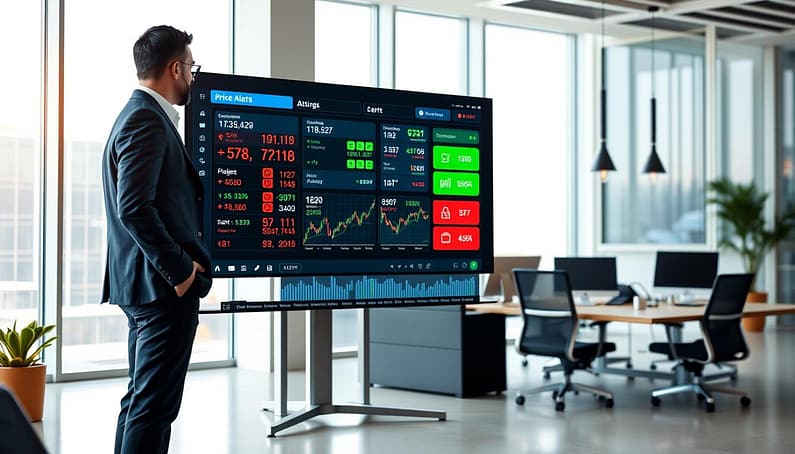
In today’s fast-paced world, missing a digital signal is a big mistake. It’s like your business has a slow nervous system. We can’t afford to be that slow.
Most systems use “polling,” constantly asking if they’re done. It’s like a clingy ex texting every five minutes. This method is a waste of resources and causes delays.
Imagine a doorbell. It waits quietly until someone presses it, then immediately tells you someone’s at the door. This is what we call event-driven architecture. It’s fast and efficient.
Why is this speed important? It’s the difference between catching a market wave or missing it. A good price alerts system doesn’t just tell you. It fits into your workflow, acting like a trusted advisor.
Creating this quick response isn’t just about the technology. It’s about being ready to act fast. Are you polling, or are you ready to be notified?
Why Speed Windows Matter (Limits and Steam)
Imagine watching a stock ticker, waiting for that key number. But your alert comes late, like a postcard from last summer. This delay is not just annoying; it’s costly. In trading, speed windows are key times when information is valuable. Missing them means reacting to past events.
I learned this the hard way. I once missed a chance to buy a cryptocurrency token. My system was set to alert me when the price hit a certain point. But the alert came 15 minutes late. By then, the opportunity was gone.
Speed isn’t just about wanting to act fast. It’s about your system’s design. Most alert tools use polling, checking for conditions at set times. If something happens right after, you’ll miss it.
On the other hand, event-driven systems are like laser signals. They alert you instantly when something happens. This isn’t just about seconds; it’s about catching opportunities before they pass.
| Alert Method | Architecture | Typical Speed Window | Real-World Analogy |
|---|---|---|---|
| Basic Email/SMS Alert | Batch Polling | 1-15 minutes | Daily mail delivery |
| Platform Notification (App) | Aggregated Push | 10-60 seconds | Office intercom system |
| Webhook / API Push | Event-Driven | < 1 second | Neural synapse firing |
| Direct API Stream | Real-Time Socket | Milliseconds | Live sports broadcast |
The table shows the harsh truth. Using old alert methods for urgent decisions is like wearing blinders. Your growing frustration shows how your tools limit you.
What creates these limits? It’s often the choice between ease and capability. Simple alert systems focus on stability over speed. But setting up real-time price alerts needs more effort.
Think of it like the difference between dial-up and fiber optics. Both connect you, but one lets you live in the digital age. Your alert speed window decides if you’re a spectator or a participant in fast markets.
The lesson is clear. Before trusting a system, check if it polls or pushes. The architecture sets the speed. In today’s fast world, speed equals opportunity. Good price alerts empower you to act quickly.
Alert types: price bands, injury, weather, market age
Not all alerts are the same. A price band breach is urgent, while a market age notification is not. This is why most alert systems fail.
Alerts should match their urgency and importance. A wrong match can lead to ignoring important messages.
Alerts can be categorized like wine. We look at their data density, urgency, and required action. This helps match each alert with the right person.
Most monitoring systems have four main categories. Each has its own way of communicating.
| Alert Type | Cognitive Load | Urgency Level | Ideal Channel | Response Timeframe |
|---|---|---|---|---|
| Price Bands | High – requires market analysis | Critical (minutes matter) | Mobile push, SMS, loud Discord/Telegram | 0-5 minutes |
| Injury Reports | Medium – needs context evaluation | High (hours matter) | Email digest, scheduled Telegram | 1-4 hours |
| Weather Alerts | Low-medium – mostly informational | Variable (depends on severity) | Dashboard, daily summary, quiet Discord channel | 4-24 hours |
| Market Age | Low – tracking/metrics focus | Low (trend watching) | Weekly report, automated Zapier log | 1-7 days |
Price bands are urgent, like fire alarms. Injury reports are important but not urgent. Weather alerts vary in urgency.
Weather alerts need smart routing. A light drizzle might go to your dashboard, but a severe storm warning should alert your phone.
Market age alerts are for strategic insights. They’re not urgent and should go to reports, not immediate notifications.
Discord and Telegram are great for alert channels. Price band breaches go to a critical channel. Market age updates go to a metrics channel.
Routing alerts is key. A price band alert might send an SMS and a Discord message. An injury report might go to email for detailed analysis.
Zapier helps manage alerts. It routes alerts based on type and severity. Price bands go to SMS, market age to Google Sheets.
The table shows how each alert type has a best channel. This is based on how we process information.
Mobile push notifications are good for price bands because they’re immediate. Email is better for injury reports because they need context. Discord and Telegram are for team alerts.
Alerts can go to different places with different tones. A price band alert might be loud in Discord but calm in a Zapier report. It’s the same data, but presented differently.
The worst mistake is sending every alert to every channel. This trains your brain to ignore notifications. You might miss important messages.
Start by categorizing your alerts. Match them to channels. Use tools like Zapier to automate routing. Your future self will appreciate it.
Bot Options: Discord/Telegram/Email/SMS (Pros/Cons)
Choosing where your alerts land is more about psychology than tech. It’s like digital feng shui for your attention. Each platform has its own vibe and how people act.

Think of your notification channels as personalities in your digital world. Discord and Telegram are like the social cousins. Email is the formal secretary. SMS is like the bodyguard who taps your shoulder without asking.
| Platform | Vibe & Context | Pros | Cons |
|---|---|---|---|
| Discord | The bustling trading floor or gaming lounge. Ephemeral, community-driven, and noisy. | Real-time push notifications, rich media support, bot ecosystems, free to use. | Overwhelming channel sprawl, requires constant app engagement, notifications can drown in chatter. |
| Telegram | The secure backchannel or private club. Direct, encrypted, and minimalist. | Cloud-based history, powerful bot API, silent notifications option, works on any device. | Less mainstream in some regions, can feel isolated, requires phone number for sign-up. |
| The formal memo system. Archival, structured, and professional. | Universal, searchable forever, integrates with every tool imaginable, great for documentation. | Inbox overload is real, delayed delivery possible, easy to ignore or miss. | |
| SMS | The digital tap on the shoulder. Primal, immediate, and personal. | Near 100% open rate, works without internet, bypasses all app notifications, psychologically urgent. | Carrier delays happen, cost per message adds up, limited formatting, prone to spam filters. |
Discord thrives on FOMO culture. It’s perfect for that trading-floor energy. But it demands your presence. Leave for an hour, and you’re scrolling through a waterfall of missed context.
Telegram offers the opposite: discreet, persistent, and secure. It’s the preferred channel for signals you want to receive privately and review later. The cloud sync means you never lose a message, even when switching devices.
Email is the archival king. That price alert from last quarter? Searchable. The weather warning that triggered a strategy shift? Filed. It lacks urgency but excels at creating an audit trail. It’s the notification method that thinks about tomorrow’s report.
SMS operates on a different nervous system entirely. It bypasses the brain’s “maybe later” filters. The vibration in your pocket triggers a primal response—something important is happening now. The downside? Carrier drama and costs can turn this reliable tap into an expensive nuisance.
This is where tools like Zapier become your switchboard operator. You’re not locked into one channel. Route critical price-band breaches to SMS. Send daily market summaries to email. Let Discord handle the social sentiment alerts. Zapier creates rules that match the message to the medium.
The choice between Discord and Telegram, email, or SMS isn’t technical. It’s cultural. Are you building a war room or a private intelligence service? Do you need a nudge or a formal record? Your answer lives in the psychology of the platform, not its API documentation.
Remember: the best notification system uses multiple channels strategically. Let Zapier or similar automation tools be the traffic cop. Send the right signal to the right place at the right time. Your attention is the scarce resource—design your alerts to respect it.
Building custom alerts with webhooks/Zapier/IFTTT
Custom alerts turn you from a passive observer to an active creator of your information flow. I remember the first time I connected a CRM webhook to a Slack channel. It felt magical, watching a lead status change instantly in my team chat.
Think of webhooks as digital couriers. They send simple messages from one app to another when something happens. No need to constantly check or poll. They quietly send data from point A to point B.
Setting up your first webhook endpoint is like crafting a spy’s dead drop. You need a secure URL for the data to arrive. Tools like ngrok let you test it locally before going live. Always use HTTPS to send data securely.
Authentication is key. Use shared secrets or API keys to verify the message. It’s like accepting a package from a known courier, not a stranger.
The Toolbox: From Concierge to Workshop
Now, where do these digital couriers deliver their messages? You have three main workshops, each with its own approach.
Zapier is the friendly, no-code concierge. It connects thousands of apps with pre-built “Zaps.” Need your form submission to create a Google Sheet row and send a Telegram message? Zapier makes it easy. Its strength is its simplicity, but it has limitations.
IFTTT (If This, Then That) is the simple, app-focused butler. It’s great for personal automation but might be too simple for complex business workflows.
Then there’s the engineer-grade workshop: platforms like n8n and Make. Here, you control the details. n8n lets you build complex workflows connecting a Webhook node to virtually anything via HTTP Request nodes.
The pricing model is interesting. n8n charges per workflow execution, not per step. This encourages building efficient, powerful automations.
Building Your First Custom Alert Flow
Let’s build a real alert. Say you want an alert when a competitor’s price drops below a threshold.
- Catch the Event: Your monitoring tool sends a webhook to your chosen platform (Zapier, n8n, etc.).
- Authenticate: The platform checks the shared secret key.
- Process & Decide: Filter the data. Is the drop significant? Does it meet your criteria?
- Take Action: Route the alert. Send it to Discord, log it to a database, and create a task in your project management tool.
This is where Zapier or IFTTT might start the chain, but n8n can handle the complex decision tree and multi-pronged action.
Security is a top priority. Look for platforms with SOC2 compliance and encrypted data. Your automations handle sensitive triggers. Treat them with respect.
The beauty of custom alerts? They fit your brain, not the other way around. You design the logic, choose the destinations, and control the pace. You stop reacting to noise and start responding to signals.
So, roll up your sleeves. Choose your workshop. Whether it’s the concierge service of Zapier, the straightforward butlering of IFTTT, or the full engineering power of n8n, you’re building a nervous system for your data. And that’s a power worth having.
Prioritizing Signals vs. Noise (Confidence Tiers)
We live in a world where our devices constantly buzz with news. Your phone, watch, and desktop all seem to think every little thing is a big deal. This is alert fatigue, making useful tools stressful. The smart thing is to know what’s important, not everything.
The main idea is simple: only subscribe to what you need. Too many alerts are not just annoying; they also waste your brain power and use up resources. To manage your attention, you need a system. I call it the Confidence Tier framework. It’s like air traffic control for your emails.
This system sorts alerts by how urgent they are and what action you need to take. Here’s how it works:
- Red Star: Act Now. This is a big deal. For price alerts, it means a 10% change in a key asset in just 5 minutes. You need to act fast. The alert should grab your attention, like a loud SMS or Discord ping.
- Yellow Flag: Review Soon. This is important but not urgent. Maybe a 5% price change or a player being listed as “questionable” for a game. It goes to a special channel or email for checking within an hour.
- Blue Moon: For Your Records. This is the detailed stuff. A small lineup change, a slight market shift, or a 2% price change. It’s recorded quietly for later analysis. It’s just data, not a call to action.
Using this with price alerts makes things clearer. Instead of alerts for any change, you have levels. A 1% drop is just data. A 3% drop during big news is something to check. But a 7% crash with lots of trading? That’s a big deal.
The goal is to make your alerts smart, not just loud. It turns overwhelming data into useful information. You stop reacting to every little thing and focus on real threats and chances.
This approach helps you stay calm in the market’s chaos. When your device buzzes with something important, you’ll know it’s time to act.
Mobile focus: DND schedules, summaries, failsafes
Your phone is like a psychic vampire, sucking your focus with every alert. We’ve learned to capture data but forgot to protect our attention. This section is about creating a mobile command center that works for you, not against you.
We aim for “consistent visibility without distraction.” We’ll build systems that shield your deep work while letting through vital information.
The Philosophy of the Digital Do Not Disturb
Do Not Disturb isn’t about avoiding work. It’s about defending deep focus. It’s like Cal Newport’s “Digital Minimalism” for your notifications. A DND block isn’t you being unreachable. It’s you being strategically unavailable for everything except urgent matters.
Most bots on Discord or Telegram can respect these rules. You don’t silence the bot; you tell it to hold off on non-essential alerts until you’re ready. This turns your phone into a tool you control, not the other way around.
Analysts need raw data, but executives want summaries. That’s the idea behind daily digests or summary alerts. Instead of getting 47 alerts all day, you get one report at 5 PM.
This report sums up the day, highlights key trends, and shows what to do next. It turns noise into a clear story. Setting up a summary on Discord might involve a bot that gathers channel activity. On Telegram, it could be a scheduled message from your monitoring script. The result is control.
Failsafes: The Emergency Override Protocol
Any good system needs a way out. Failsafes are your “if this, then that” rules for real emergencies. They answer the fear: “What if I miss the one alert that matters?”
A failsafe might be: IF asset X drops by more than 15% in 10 minutes, THEN send an SMS. Or: IF server Y goes offline, THEN call your phone. These are your emergency exits. They let you silence the world, knowing important alerts will always get through.
Here’s how these strategies work together to create a strong mobile defense system:
| Strategy | Primary Implementation | Best Use Case |
|---|---|---|
| Scheduled DND | Device-level focus blocks (e.g., 9 AM-12 PM, 2 PM-4 PM) | Protecting daily deep work sessions from all non-critical interruptions |
| Daily Digest/Summary | Bot-configured recap (Discord channel summary, Telegram scheduled report) | Replacing constant stream-of-consciousness alerts with structured after-action reviews |
| Priority Failsafe | Conditional rules in automation tools (Zapier, IFTTT, custom webhooks) | Ensuring catastrophic or time-sensitive alerts break through any silence protocol |
The modern professional’s edge isn’t just getting info faster. It’s processing it smarter. By using DND schedules, summaries, and failsafes, you turn your phone into a key part of your work. The bots on Telegram and Discord become helpful assistants, not distractions.
Your attention is your most valuable asset. Protect it with the same care you use for analyzing data.
Decision logging: alert → action → result loop
I once saw a well-set alert trigger lead to a bad business choice. The system worked perfectly – a price band breach, a loud Discord alert, and a quick human response. Yet, we lost money. Why? We treated the alert as the end, not the start.
Automation without analysis is not just inefficient; it’s like corporate superstition. You’re hoping the algorithm gods are listening without checking. This section is about the feedback loop, which turns your system into a learning machine.
The solution is simple: create a decision log. It’s like a black box for your business processes. Every alert trigger gets logged. Every action, human or automated, is documented. Every result is recorded. Now, you’re not just reacting; you’re gathering data on your reactions.
Here’s what that looks like in practice:
| Alert Trigger | Action Taken | Result | Lessons Learned |
|---|---|---|---|
| Price drops 15% below 30-day average | Manual buy order placed after 5-minute review | Position entered at $42.50, closed 3 days later at $38.75 (-8.7%) | Our threshold was too sensitive for this volatility range; need confidence scoring |
| Competitor announces major partnership | Alert forwarded to marketing team via Slack webhook | Team drafted response within 2 hours, social engagement up 40% | Webhook-to-Slack pipeline works; should automate initial draft creation |
| Server CPU spikes above 85% for 10+ minutes | Auto-scaling triggered, team notified via SMS | Cost increased by $127, but prevented site downtime | Auto-scaling effective but expensive; need to optimize trigger thresholds |
| Keyword ranking drops 5+ positions | No action taken (alert during DND schedule) | Ranking recovered naturally within 48 hours | Some alerts are noise; this category needs lower priority tier |
When you log decisions, patterns emerge. You see your own biases. That “gut feeling” response gets quantified as either brilliant or disastrous. The loop closes.
Source 3’s “Log and Monitor” advice is key. Tracking events and failures is what separates pros from amateurs. Your bot might miss 2% of signals – but if you don’t know which 2%, you’re flying blind.
Starting a decision log doesn’t need fancy software. Begin with a shared spreadsheet. Use a dedicated Slack channel. Create a simple database. The format matters less than the discipline. Every Friday, review the week’s log. Ask one question: “What did our automation teach us this week?”
For teams looking to improve, consider advanced alert triage systems that include logging. The best systems don’t just notify – they contextualize and record.
The decision log turns anxiety into analytics. That panic when three alerts fire at once? Check the log. Last time, two were noise, one needed immediate action. Your past decisions train your future responses.
This is how dumb pipes become learning organisms. One logged decision at a time.
Backup feeds and redundancy plan
Modern alert systems are as reliable as a house of cards in a wind tunnel. They look good until a gust hits. This gust could be an API outage, rate limit burst, or a webhook endpoint going down.
Putting all your alert eggs in one basket is risky. It’s not pessimism, but a realistic view. Every part of your system can fail. So, when you multiply these failures, you’re playing a dangerous game.
So, what’s your backup plan when the main feed fails? A good redundancy plan doesn’t just copy systems. It creates smart fallbacks. Your first option is a polling fallback. It’s slower but works when the real-time system fails.
Your second layer is a secondary service. If Discord fails, Telegram should take over. If email gets blocked, SMS is your backup. This way, your message always gets through.
Now, let’s talk about the technical side. Duplicate events can flood your channels. Rate limit bursts can trigger throttling. Smart engineering is key here.
The solution is to design for failure from the start. Use message queues as shock absorbers. They handle surges and release messages slowly. It’s like traffic management for your alerts.
Retry mechanisms need to be smart too. A simple “try three times then give up” approach doesn’t work. Use exponential backoff and circuit breakers to avoid wasting resources. It’s like having a smart assistant that knows when to stop.
| Redundancy Strategy | How It Works | Key Advantage | Potential Drawback | Best For |
|---|---|---|---|---|
| Primary + Polling Fallback | Webhook for real-time, scheduled API polls as backup | Simple to implement, works during push failures | Increased latency on fallback, data gaps | Critical financial or trade alerts |
| Dual Service Redundancy | Send identical alerts through two different platforms | High availability, platform-agnostic delivery | Higher cost, duplicate notifications if not managed | Mission-critical operational alerts |
| Message Queue Buffer | Queue stores alerts during bursts, releases steadily | Handles volume spikes, prevents rate limiting | Added complexity, requires monitoring | High-frequency trading or social sentiment alerts |
| Scheduled Retry System | Failed alerts enter retry queue with exponential backoff | Ensures eventual delivery, smart failure handling | Can delay time-sensitive information | Weather, injury, or non-urgent market alerts |
Your redundancy plan should answer three questions. What fails first? How do I know it failed? What automatically takes over? The answers should be automatic, so you don’t have to intervene.
Think of it as disaster recovery for your attention. When the main channel fails, the backup should be ready. It’s not about building a fortress. It’s about creating a resilient network that bends but doesn’t break.
Start simple: find your single points of failure. Add a backup channel. Use basic retry logic. Then, keep improving. Your future self will thank you for this preparation. The best time to build a redundancy plan was yesterday. The second-best time is now.
API key hygiene and security basics
Your API credentials are like the most valuable jewels in automation. Treating them carelessly is like inviting trouble into your system. I’ve seen many digital breaches caused by poor key management, not sophisticated hacking.
It’s like buying a top-notch safe but writing the combination on a Post-it note. This is not how you keep your digital assets safe.
Let’s focus on preventing digital breaches. The integrity of your workflow depends on how you manage these critical keys. One leaked key can turn your automation into chaos.

Never, ever hardcode your keys. This is a major mistake in automation. Hardcoding credentials is like leaving your car unlocked. Use environment variables instead – they’re secure and supported by most platforms.
Always follow the principle of least privilege. Don’t give an API key more permissions than it needs. For example, if your weather bot only needs to read data, don’t give it write access. This limits the damage if something goes wrong.
Credential rotation is key to security. Refresh your keys every 90 days. Old keys can pose a significant risk. Many breaches happen through outdated credentials.
When choosing automation platforms, security is a must. Look for services like n8n that offer SOC2 compliance. This ensures your data is protected during transfers.
Secure credential storage is also important. Platforms that encrypt your keys at rest offer extra protection. Role-Based Access Control (RBAC) helps manage who can see what, preventing accidental exposure.
For maximum security, consider EU data hosting or self-hosting. This keeps your data safe from third-party risks. It’s like storing valuables in a bank vault versus building your own.
Here’s a quick security checklist I follow:
- Store all credentials in environment variables, never in code
- Review and minimize permissions for every API key
- Set quarterly rotation reminders in your calendar
- Use different keys for development versus production
- Monitor access logs for unusual activity patterns
Security isn’t about being paranoid. It’s about removing easy targets for attacks. By following these basics, you’re not building a fortress – you’re just securing your system.
Good security actually makes your automation more reliable. When you’re not dealing with credential leaks, you can focus on improving your workflows. It’s like preventative maintenance for your digital system.
Your API keys are the guardians of your automation kingdom. Treat them with respect, and they’ll serve you well. Leave them exposed, and you’re inviting trouble. The choice is yours.
30‑minute setup sprint + templates
All this analysis is just talk without action. Let’s create a system. Right now. Set a timer for thirty minutes.
Your task is to set up one main alert. Pick a template. “The Price Sentinel” alerts you when a number changes. “The Availability Ping” sends a message on Discord or Telegram when stock updates.
For “CRM Sync Trigger,” link a data source to Zapier or IFTTT. This makes the alert automatic, recording every action. These are basic setups you can improve later.
The idea is simple. A trigger, a condition, and a notification. That’s the core of every workflow. Your first project will show you this.
Stop thinking, start doing. The line between noise and signal is often just one connection. Make that connection today.